

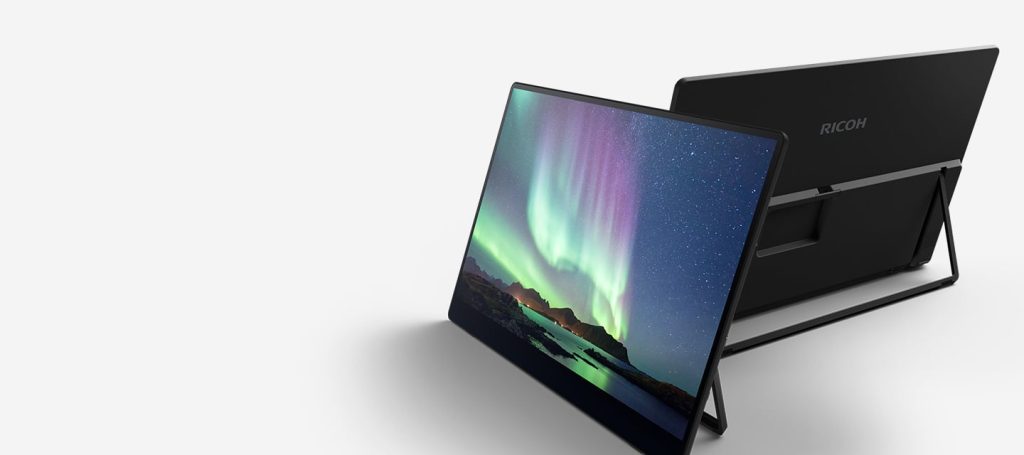
Portable monitors have become an essential tool for remote workers, digital nomads, gamers, and students who need extra screen space on the go. Unlike traditional desktop displays, these compact screens are designed to travel easily while still delivering strong performance for productivity and entertainment. Their growing popularity comes from the ability to instantly expand a laptop setup without bulky equipment or complex installation.
When exploring display options, many users look for detailed comparisons and guides such as best portable monitors to understand what models fit their needs. However, beyond recommendations, it is important to understand what actually makes a portable monitor effective in real-world use, especially in terms of connectivity, display quality, and portability.
Table of Contents
ToggleWhy Portable Monitors Are So Useful
Portable monitors are designed to act as a secondary screen that can be carried anywhere. They typically range from 13 to 17 inches and are lightweight enough to fit into a laptop bag.
Their main advantages include:
- Instant dual-screen productivity anywhere
- Lightweight and travel-friendly design
- Easy plug-and-play connectivity
- Compatibility with laptops, consoles, and tablets
According to industry reviews, their biggest appeal is the balance between mobility and functionality, making them ideal for hybrid work and travel setups.
Connectivity: USB-C, HDMI, and Single-Cable Setup
Connectivity is one of the most important factors when choosing a portable monitor. Modern models rely heavily on USB-C because it simplifies the entire setup process.
Key connection types include:
- USB-C (DisplayPort Alt Mode): Allows video, data, and sometimes power through a single cable
- HDMI / Mini-HDMI: Useful for gaming consoles and older laptops
- Hybrid setups: Some monitors support both USB-C and HDMI for flexibility
Many newer portable monitors support single-cable USB-C connections, which reduces clutter and makes travel setups much easier.
Some advanced monitors even support pass-through charging, allowing your laptop to stay powered while using the external display.
Display Quality: Resolution, Brightness, and Color Accuracy
Display quality determines how usable and enjoyable a portable monitor is in different environments. Since these screens are often used in cafés, hotels, or coworking spaces, brightness and clarity matter a lot.
Important display factors include:
- Resolution: 1080p is standard, while 2.5K offers sharper text and multitasking space
- Brightness: 300 nits is a baseline, but higher brightness improves outdoor visibility
- Color accuracy: Important for designers, video editors, and creative professionals
- Panel type: IPS panels are most common due to wide viewing angles and balanced color reproduction
Some premium portable monitors now offer near-professional color accuracy and higher refresh rates, making them suitable for both work and entertainment.
Portability and Build Quality
A portable monitor must be easy to carry and quick to set up. Manufacturers focus heavily on weight, thickness, and durability to ensure convenience for travel users.
Key portability features include:
- Lightweight frames (often under 2 pounds)
- Slim designs that fit in laptop sleeves
- Protective covers that double as stands
- Durable materials for frequent travel
Build quality matters just as much as display specs because these devices are frequently packed, unpacked, and moved between locations. Poor stands or weak hinges can make daily use frustrating.
Gaming vs Productivity Use
Portable monitors serve different purposes depending on the user’s needs.
For Productivity
- 1080p or higher resolution for sharp text
- USB-C single-cable connection for simplicity
- IPS panel for accurate colors
- Matte screens to reduce glare
These features are ideal for multitasking, spreadsheets, writing, and coding.
For Gaming
- Higher refresh rates (120Hz or more) for smoother motion
- Low response time for fast-paced gameplay
- HDMI support for consoles like Switch or PlayStation
- Bright displays for immersive visuals
Gaming-focused portable monitors are becoming more common, with some models offering refresh rates up to 165Hz for smoother performance.
Key Considerations Before Buying
Before choosing a portable monitor, it helps to evaluate your workflow and travel habits. The best option depends on how and where you plan to use it.
Things to consider:
- Device compatibility (laptop, tablet, console)
- Weight and size for frequent travel
- Power requirements (USB-powered or external adapter)
- Stand stability and usability
- Budget vs performance balance
Final Thoughts
Portable monitors are no longer niche accessories—they are practical tools for modern work and entertainment. With improvements in USB-C connectivity, display quality, and lightweight design, they offer a flexible solution for anyone who needs extra screen space on the move. By focusing on connectivity options, display performance, and portability, you can choose a model that enhances productivity without adding complexity to your setup.





More Stories
How to Choose a Website Management Company for Your Business
AMPIN Energy Secures $195 Million Green Loan for 100 MW Solar-Wind-BESS Project
Choosing a Panel Printer for Space-Constrained Applications