

Table of Contents
ToggleIntroduction
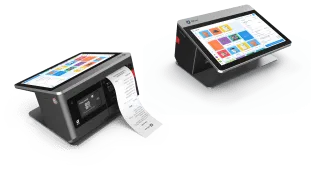
POS peripherals are essential components of modern point-of-sale systems, enabling businesses to process transactions efficiently, manage inventory, and deliver a smooth customer experience. These devices, including barcode scanners, receipt printers, cash drawers, card readers, and customer-facing displays, play a critical role in the daily operations of retail stores, restaurants, and other service-based businesses. To maximize their longevity and performance, proper maintenance is essential.
Investing in high-quality pos peripherals is only part of the equation. Without regular care, even the most advanced devices can suffer from wear and tear, leading to breakdowns, costly repairs, and disruptions in business operations. Understanding best practices for maintaining POS peripherals can help businesses ensure consistent performance, reduce downtime, and extend the life of their devices.
Regular Cleaning
One of the simplest yet most effective maintenance practices for POS peripherals is regular cleaning. Dust, debris, and spills can accumulate on devices, causing malfunctions or reduced performance over time. Barcode scanners should be cleaned with a soft, lint-free cloth to remove smudges from the scanning window, while receipt printers require careful removal of paper dust and ink residue.
Cash drawers and card readers also benefit from gentle cleaning, paying attention to areas where coins, bills, or cards are inserted. Using appropriate cleaning solutions recommended by the manufacturer helps prevent damage and ensures devices continue to operate smoothly.
Proper Handling and Usage
Proper handling is critical for maintaining the longevity of POS peripherals. Devices such as scanners and card readers are sensitive to rough handling, drops, or exposure to excessive force. Employees should be trained to handle devices carefully, avoiding unnecessary pressure, bending, or pulling of cables.
For receipt printers and cash drawers, it is important to follow recommended paper loading procedures and avoid overfilling compartments. Correct usage not only prevents damage but also maintains the accuracy and reliability of transactions, which is essential for customer satisfaction and business operations.
Routine Software and Firmware Updates
Many POS peripherals rely on software or firmware to function correctly. Regularly updating these components ensures that devices remain compatible with the POS system, operate efficiently, and receive security enhancements. Manufacturers often release updates to improve performance, fix bugs, or add new features.
Integrating software and firmware updates into a scheduled maintenance routine helps businesses avoid unexpected issues and keeps devices running smoothly. Neglecting updates can result in system errors, slower performance, or compatibility problems, potentially affecting transaction speed and accuracy.
Environmental Considerations
POS peripherals are sensitive to their operating environment. Excessive heat, humidity, or exposure to liquids can cause permanent damage to internal components. Positioning devices in a controlled environment, away from direct sunlight, water sources, and heat-generating equipment, helps maintain their functionality.
Ensuring proper ventilation for devices such as receipt printers and cash drawers prevents overheating, while protective covers for scanners and displays reduce the risk of dust accumulation and accidental spills. Creating a safe and suitable workspace is a proactive step in preserving POS hardware.
Regular Inspections and Preventive Maintenance
Conducting regular inspections is an effective way to identify potential problems before they escalate. Check cables, connectors, and ports for signs of wear or corrosion. Ensure that moving parts, such as cash drawer mechanisms or printer rollers, are functioning smoothly. Catching minor issues early can prevent costly repairs or unexpected downtime.
Preventive maintenance, such as lubricating moving parts, replacing worn components, and testing devices periodically, ensures that POS peripherals remain operational and reliable. Businesses that implement a preventive maintenance schedule can reduce disruptions, improve transaction accuracy, and extend the lifespan of their hardware.
Employee Training
Proper employee training is vital to maintaining POS peripherals. Staff should understand the correct operation of each device, including scanning procedures, cash handling, card processing, and receipt printing. Training employees on maintenance routines, such as cleaning, inspecting, and reporting issues, empowers them to take responsibility for the equipment they use daily.
Well-trained staff reduce the likelihood of accidental damage, minimize errors, and contribute to the overall efficiency and longevity of POS peripherals.
Conclusion
POS peripherals are critical to the success of any business that relies on point-of-sale systems. Barcode scanners, receipt printers, cash drawers, card readers, and customer-facing displays all require proper care and maintenance to ensure long-lasting performance. By implementing regular cleaning, proper handling, routine updates, environmental control, preventive maintenance, and employee training, businesses can maximize the lifespan of their devices and maintain smooth, accurate, and efficient operations.
Investing in maintenance not only protects hardware but also improves the reliability of transactions, reduces downtime, and enhances the overall customer experience. High-quality POS peripherals, combined with a consistent maintenance routine, form the foundation of an efficient and professional retail or service environment, supporting long-term growth and operational success.




More Stories
Wudu Basin Installation: Important Measurements and Plumbing Considerations
Enjoy Smooth, Creamy Coffee Creations with an Efficient Electric Milk Frother
China B87 Air Pick: Specifications, Heavy-Duty Applications, and Performance Advantages