

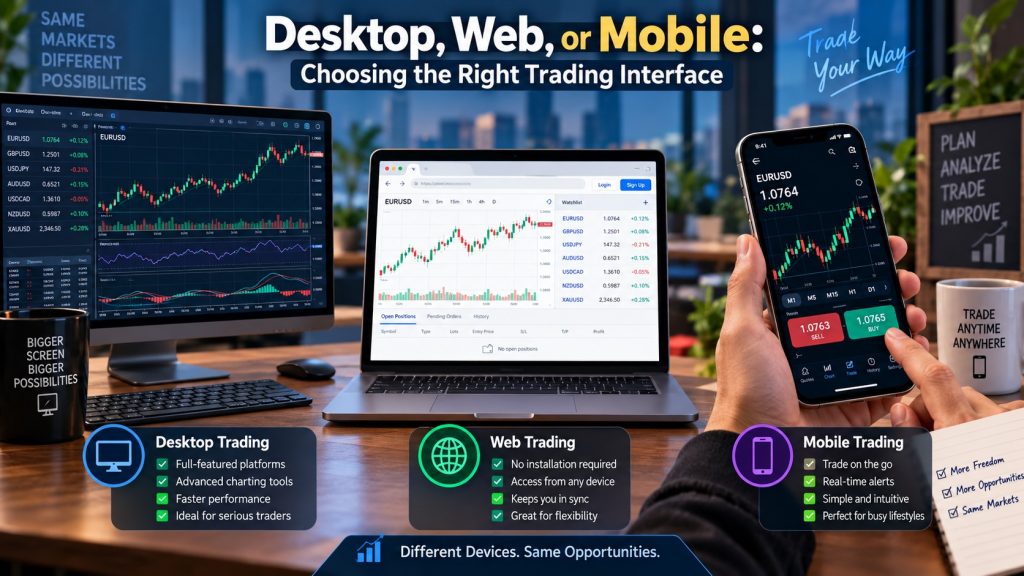
The same market can feel completely different depending on the screen used to access it. A desktop terminal encourages detailed analysis, a browser offers quick access from almost any computer, and a mobile app keeps open positions visible while the trader is away from a desk. Convenience, however, changes behavior as much as it changes access.
Most forex trading platforms now provide all three interfaces, but their features are rarely identical. Charting tools, order types, alerts, saved layouts, and execution controls may vary between versions. The sensible choice depends on how trades are researched, opened, monitored, and closed.
Desktop Terminals Suit Detailed Analysis
Desktop software typically offers the widest selection of analytical tools. Multiple charts can remain open at once, indicators can be customized, and several timeframes can be compared without repeatedly switching screens. Traders using automated strategies or custom scripts may also find that these functions operate only on the installed terminal.
Screen space matters. A trader examining EUR/USD can keep a daily chart open for direction, a one-hour chart for structure, and a shorter chart for entry timing. An economic calendar or bond-yield chart can sit beside them. That arrangement makes conflicting evidence easier to notice.
The disadvantage is location. A desktop setup is only useful while the trader is near it, unless remote access has been configured. Software updates, operating-system compatibility, and local connection problems can also interrupt access at inconvenient moments.
More information is not automatically better information.
A crowded six-monitor setup can produce slower decisions if every chart carries different indicators. Experienced traders often use additional space to separate tasks. Beginners are more likely to fill it.
Web Platforms Offer Practical Flexibility
A web interface runs inside a browser, removing the need to install trading software. It can be useful on a work laptop, temporary computer, or backup device when the primary terminal is unavailable. Account information and basic chart layouts are usually synchronized through the provider’s servers.
Browser-based access has improved considerably, though advanced functions may still be limited. Custom indicators, algorithmic tools, detailed testing features, and complex workspace arrangements are often better supported on desktop software. Browser performance can also depend on the number of open tabs and the computer’s available memory.
Security deserves attention. Using a web terminal on a shared or public computer creates risks that do not exist on a controlled home device. Saved passwords, browser extensions, and unattended sessions can expose account access.
The browser works best when its role is clear. For many traders, that role is monitoring and order management rather than intensive research.
Mobile Access Changes Trading Behavior
Mobile apps are excellent for receiving alerts, checking margin, adjusting stops, and responding when circumstances change away from the desk. They are less effective for studying complicated market structure because a small display compresses candles and hides surrounding context.
Consider a familiar market situation around a US inflation release. EUR/USD breaks below its pre-release range, rebounds sharply, and then tests the same boundary from the opposite side. On a desktop chart, the failed breakdown and retest may be visible together. On a phone showing only a handful of candles, the latest surge can look like an entirely new trend.
A trader reacting to the mobile notification may buy near the top of the rebound without seeing the earlier liquidity sweep. The price movement is real, but the interface changes how much of it is visible.
The counterintuitive point is that constant access can reduce control. A phone makes it easier to interfere with a planned position after every small fluctuation. The first adjustment may protect profit. The next three may reflect discomfort rather than new market information.
Mobile access is most useful when decisions have already been framed. An alert at a predefined price, followed by a quick position check, serves a different purpose from scrolling through pairs in search of excitement.
Execution Features Matter More Than Appearance
Interface comparisons often focus on visual design, yet order handling deserves greater weight. Traders should check whether each version supports stop-limit orders, partial position closures, trailing stops, one-click dealing, and modification of attached risk controls.
Synchronization also matters. A stop placed on desktop should appear correctly on mobile. Watchlists, alerts, and drawings may not transfer across every version, even when the account balance does.
During rapid markets, the confirmation process can affect execution. One-click dealing is faster but leaves little room to catch an incorrect position size. A confirmation window slows entry while providing a final numerical check. Neither arrangement is universally superior.
Build a Defined Role for Each Interface
Before choosing among forex trading platforms, run the same routine on desktop, web, and mobile using a demonstration account or minimal position size. Open a chart, place a pending order, attach a stop, modify the position, and review the transaction history.
Assign one purpose to each interface. Desktop can handle research and planned entries, web can provide backup access, and mobile can manage alerts or urgent adjustments. If a task feels cramped or error-prone on one screen, move that task to another instead of forcing the interface to do everything.
About Post Author





More Stories
How Audit Services Singapore Help Strengthen Financial Reporting
Key Steps Involved in the Audit Process for Singapore Businesses
What Happens to CFD Trades When an Underlying Market Is Suspended?